LANBox — Share Text & Files Across Devices on Your Wi-Fi
A zero-install, no-account web app that syncs clipboard text and sends files between any phones, tablets, and computers on the same Wi-Fi, peer-to-peer over WebRTC with end-to-end encryption, QR pairing across networks, and self-destructing secret notes.
Overview
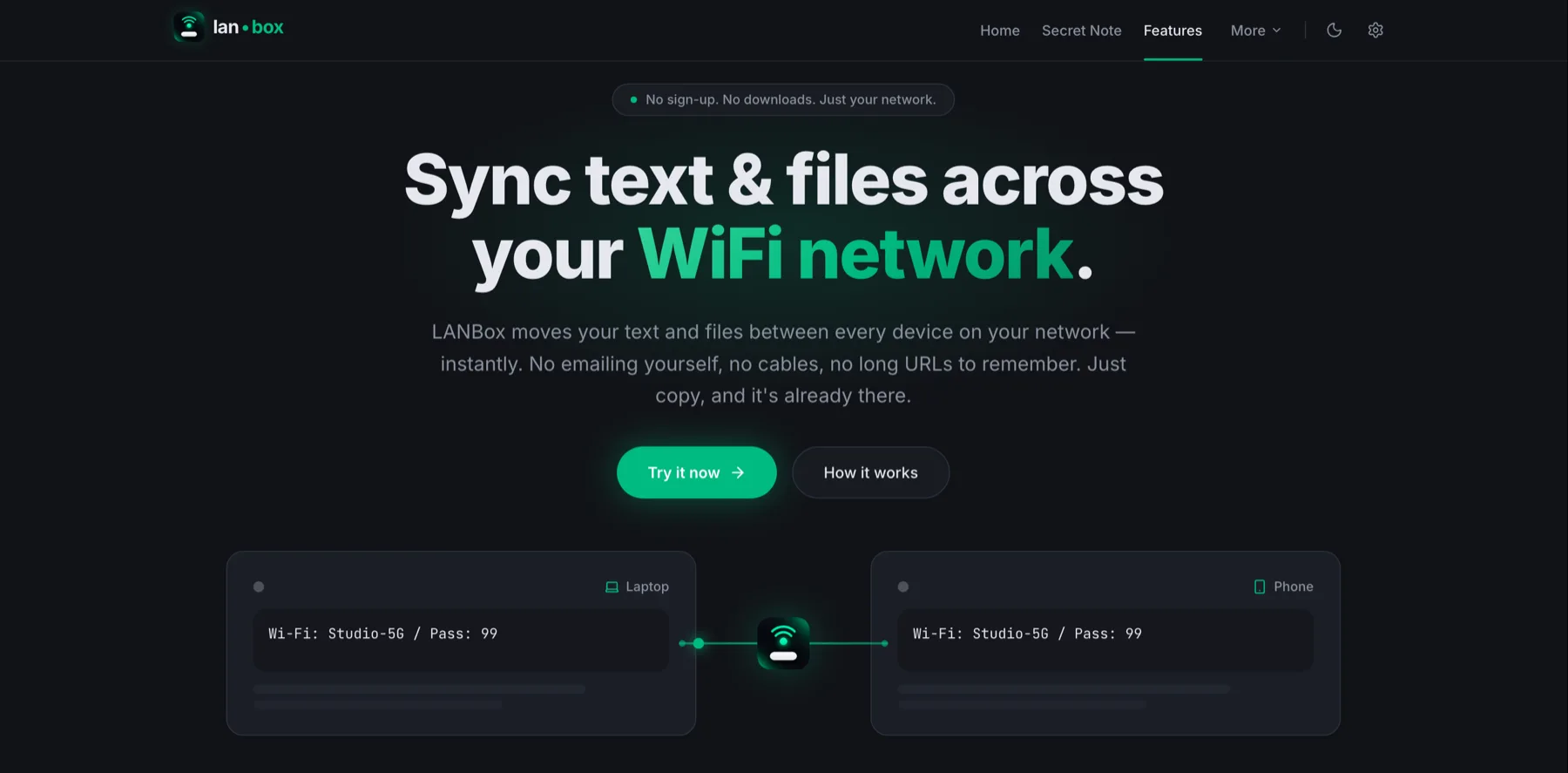
LANBox moves text and files between every device on your network instantly. Open lanbox.io on any two devices on the same Wi-Fi and start typing: nearby phones, tablets, laptops, and desktops are discovered automatically, and everything you type or paste appears live on the others. No account, no download, no USB cables, and no emailing links to yourself.
It works as a free AirDrop alternative between iPhone, Android, Windows, Mac, and Linux in any modern browser, sending photos, videos, and folders peer-to-peer at original quality with end-to-end encryption.
The Problem
Moving a link, a Wi-Fi password, a code snippet, or a photo from a phone to a laptop is still surprisingly painful, especially across ecosystems where AirDrop doesn't work.
- →Slow, clunky workaroundsPeople email themselves, message their own chat, or plug in cables just to move one piece of text or a handful of files.
- →Cloud uploads for local transfersCloud drives upload files to a third-party server and download them again, even when both devices sit on the same Wi-Fi, and they often compress photos and videos.
- →Privacy trade-offsMost sharing tools need an account, an app install, and trust that the service isn't reading what you send, which is a poor fit for passwords and private documents.
What I Built
I built LANBox as a browser-only app: a React and Vite front end that turns any browser into a peer, plus a lightweight signaling and relay layer that only steps in when devices can't reach each other directly.
// Peer-to-Peer Transfer
Live clipboard sync and file streaming over WebRTC DataChannels at full local Wi-Fi speed, with folders, send-to-everyone, multi-file ZIP downloads, and transfers that resume after a dropped connection.
// Discovery & Pairing
Automatic discovery of devices on the same network, plus pairing across networks by QR code, 6-digit code, IP address, or private room invite links, with TURN and an encrypted WebSocket relay as fallback.
// Encryption & Trust
X25519 key exchange authenticates both devices before anything is exchanged. Six-emoji security codes and key pinning detect a device in the middle, and sending pauses if a key changes.
// Zero-Knowledge Sharing
Secret notes and public pages are encrypted in the browser with AES-256-GCM. The key lives only in the URL fragment, so the server stores ciphertext it can never read.
How It Works
- Step 01Open lanbox.ioOn any two devices on the same Wi-Fi, in Safari, Chrome, Firefox, or Edge. No sign-up, no install.
- Step 02Devices find each otherNearby phones, tablets, and computers appear automatically. On another network, pair with a QR or 6-digit code.
- Step 03Type, paste, or drop filesText syncs live as you type; files stream peer-to-peer with progress shown on both sides.
Key Features
- ✓Instant, everywhereType on your laptop and the words land on your phone. No refresh, no save button.
- ✓Files at network speedSend files and whole folders to one device or every device at once, at original quality.
- ✓End-to-end encryptedText and files go device to device; anything relayed is encrypted in the browser first.
- ✓Link other networksConnect across Wi-Fi, mobile data, or VPN with a QR code, 6-digit code, IP, or private room.
- ✓Secret notesEncrypted links that burn after reading or vanish on a schedule, with optional password and files.
- ✓Public pagesPublish Markdown to a short link for up to 30 days, optionally password-encrypted.
- ✓App lockPassword-lock LANBox on shared computers; while locked the device is hidden and offline.
- ✓Security codesCompare six emoji to be sure nobody sits between your devices.
- ✓Resumable transfersA dropped connection pauses a transfer instead of losing it.
- ✓No ads, no trackingNo accounts, no cookies, and no third-party scripts in the app.
- ✓Installable PWAAdd to the home screen with share-sheet support and background notifications.
- ✓Network diagnosticsSee which connection routes your network allows and copy a report when something is off.
Website Screenshots
Captured from the live site at lanbox.io. Click any screenshot to enlarge it.
Security Architecture
Because people use LANBox for passwords, keys, and private files, security was designed in from the first release rather than added later.
- »Authenticated peersDirect links authenticate both devices with X25519 before any data is exchanged, and pairing links fill in the code but never pair without the user's tap.
- »Client-side encryptionSecret notes, attachments, and their file names are encrypted with AES-256-GCM via the Web Crypto API. The key stays in the URL fragment and never reaches the server; unopened notes are deleted after 30 days.
- »Hardened app surfaceA strict Content Security Policy, WebSocket origin checks, and connection limits, and received HTML or SVG files can never run inside LANBox.
- »Sensitive text handlingText marked sensitive stays hidden until revealed and disappears after a minute; transfer history keeps only names and sizes.
Release History
Frequently Asked Questions
What is LANBox?
+
LANBox is a free web app that shares text and files between devices on the same Wi-Fi. Open lanbox.io on two devices and anything you type, paste or drop appears on the other one instantly, with no account or app install.
Is LANBox an AirDrop alternative for iPhone, Android and Windows?
+
Yes. It runs in Safari, Chrome, Firefox and Edge, so it works between iPhone and Windows, Android and Mac, or any mix of devices, and files keep their original quality.
How does LANBox send files without uploading them to a server?
+
On the same network, files and clipboard text stream directly between browsers over WebRTC DataChannels. A relay is only used when devices cannot connect directly, and that traffic is encrypted in the browser first.
Is LANBox secure for passwords and private files?
+
Peer connections are authenticated with X25519 key exchange and can be verified with six-emoji security codes. Secret notes are encrypted with AES-256-GCM in the browser, and the key stays in the link, so the server cannot read them.
What tech did Monish Roy use to build LANBox?
+
A React and Vite front end using WebRTC DataChannels for peer-to-peer transfer, WebSockets for signalling and relay, the Web Crypto API for encryption, TURN for difficult networks, and Caddy for HTTPS self-hosting. It is also an installable PWA.